Desktop Shortcut Guide
Desktop Shortcut Guide
1、Tap To Set, enter the iScreen Desktop Widget Permissions page, tap Permission, and find Other Permissions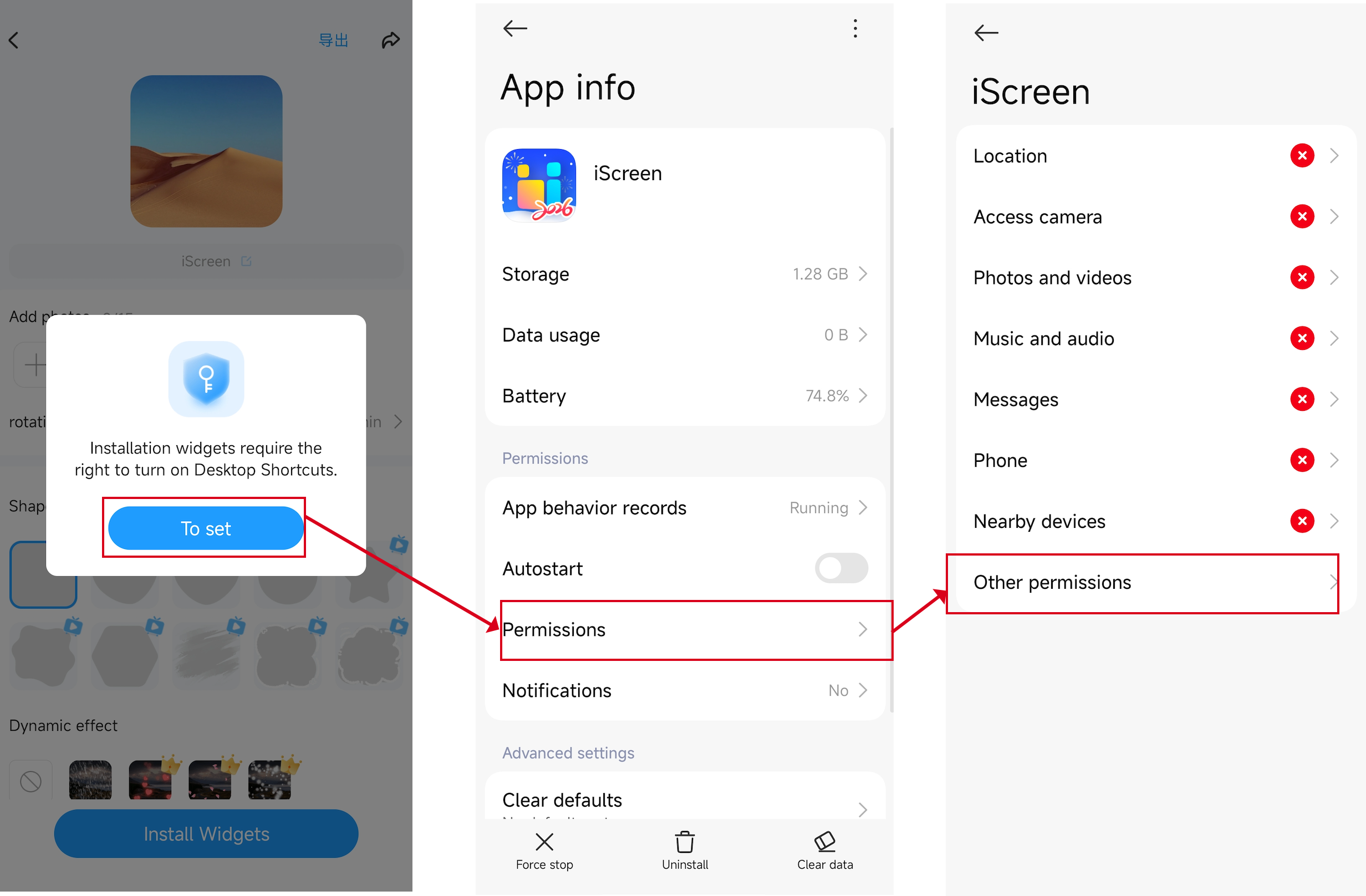 2、Scroll down on the Other Permissions page, find Home screen shortcuts, tap it, and select On.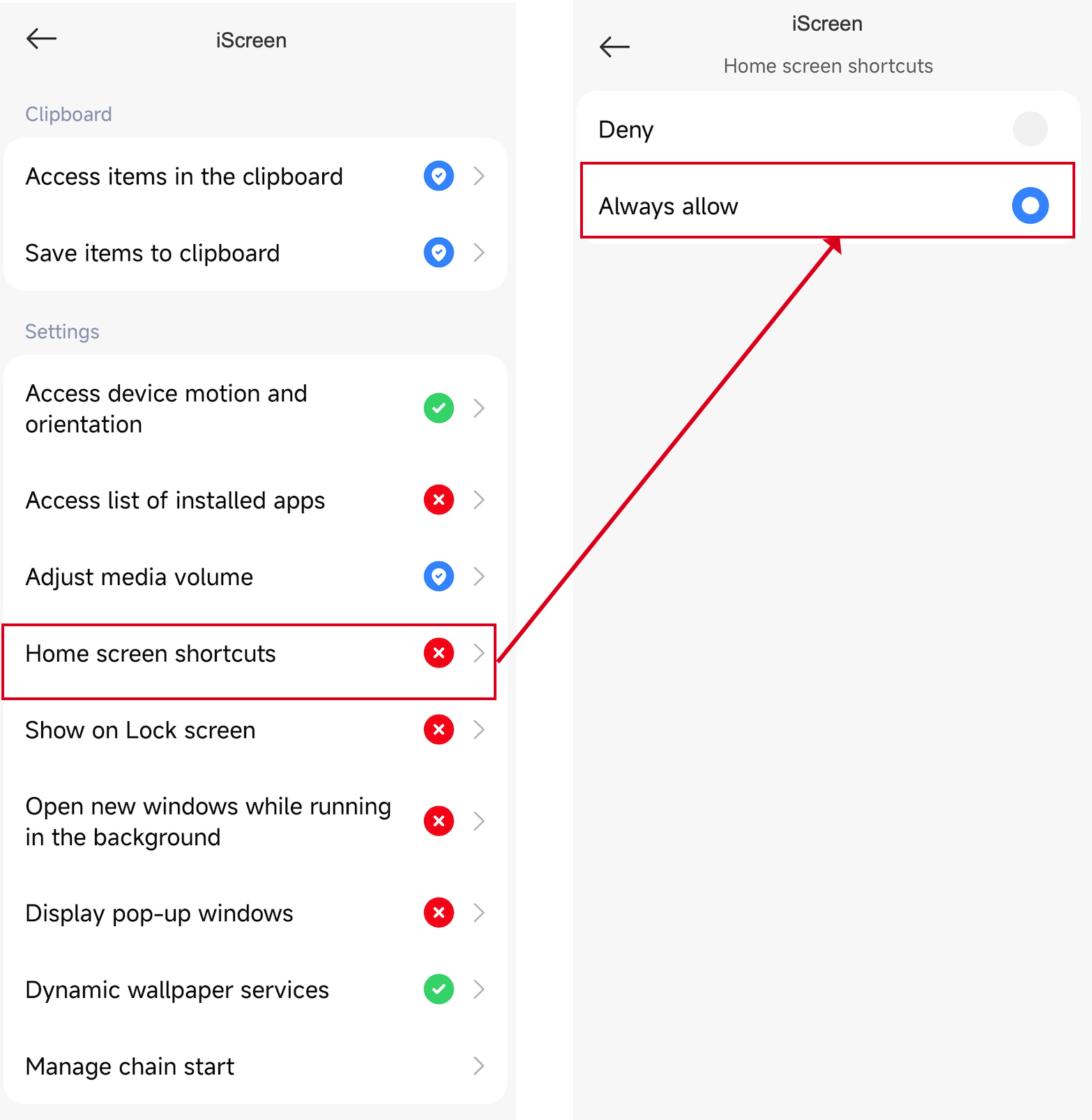

.png)




1、Tap To Set, enter the iScreen Desktop Widget Permissions page, tap Permission, and find Other Permissions2、Scroll down on the Other Permissions page, find Home screen shortcuts, tap it, and select On.