
.png)




How to set up live wallpaper
How to set up live wallpaper?
1. Select the " " wallpaper, click "
 "
"
2. Select "Use as Wallpaper"
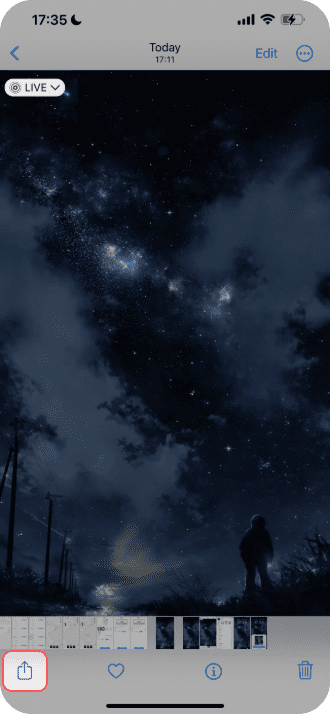

3. Make sure "live" is turned on and click Add
4. Click [Set as Wallpaper Pair], the setting is
successful,and you can view the dynamic
effectby turning on the screen.
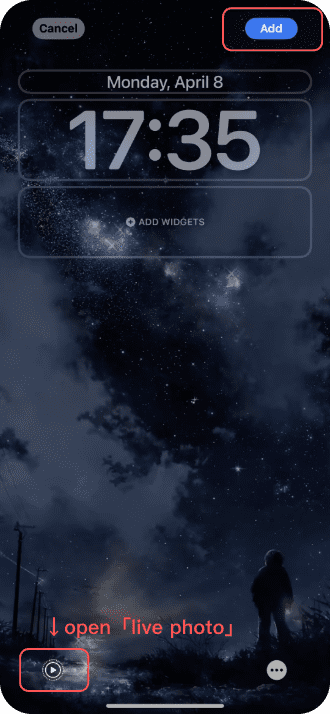

Unable to set live wallpaper: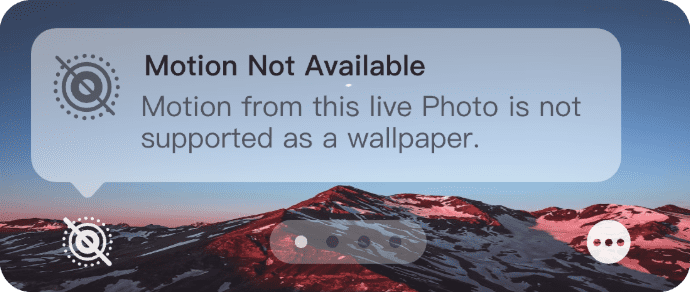
1. Click "Cancel" and reselect the wallpaper.
2. The video has a large picture change,Please
re-upload the video with a small picture change.