
.png)




How to add to the desktop
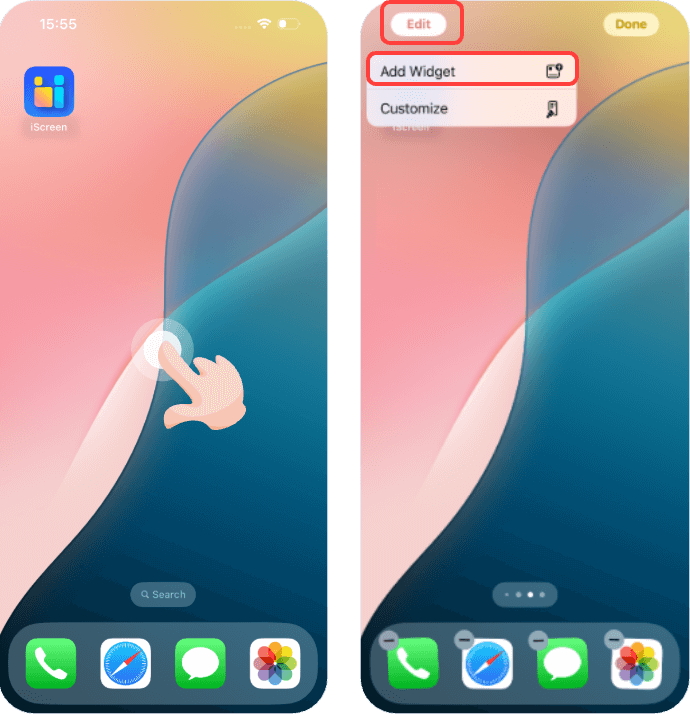
1. First, long press on an empty area, click on "Edit", then click on "Add Widget".
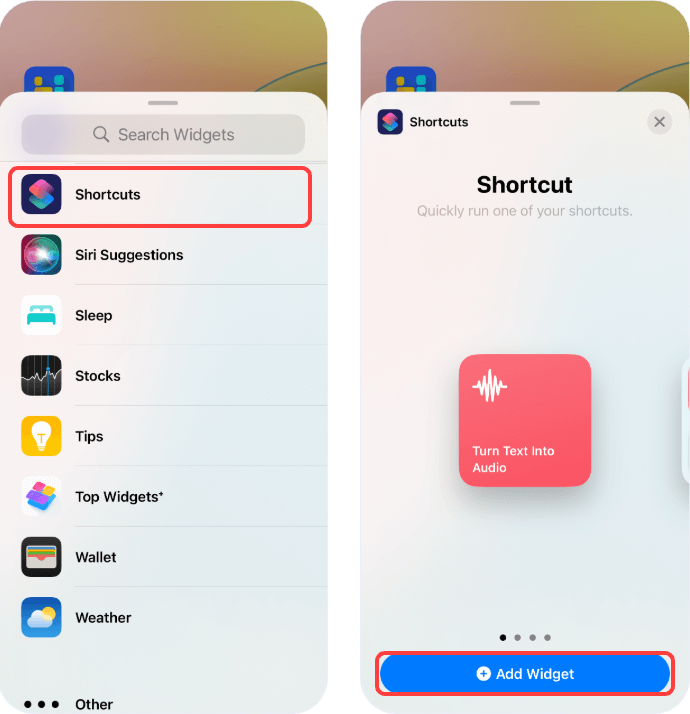
 2. Locate the "Shortcuts" app, and choose "Add Widget".
3. After the widget has been added, long press on the widget, select "Edit Widget", and then click on "Shortcuts" to choose the shortcut you want to run.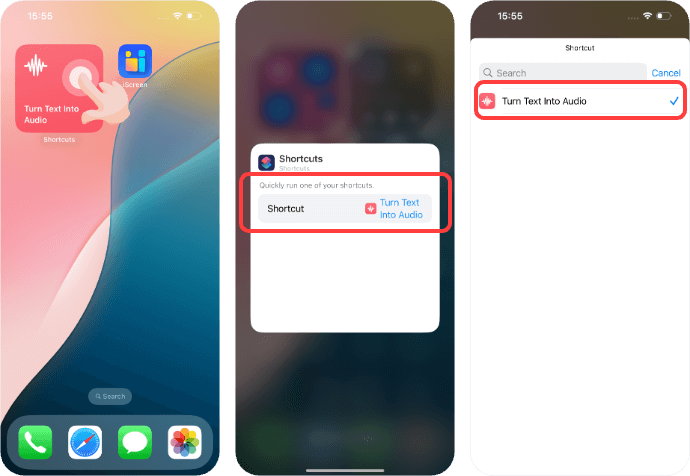
2. Locate the "Shortcuts" app, and choose "Add Widget".3. After the widget has been added, long press on the widget, select "Edit Widget", and then click on "Shortcuts" to choose the shortcut you want to run.